Training app + studio portal

Training in focus.
Member support organised.

Members scan a machine, see their plan and log their sets. Your team sees which plans need a review and which follow-ups are due. All with the equipment you already have.

Keep your existing equipmentHosted in GermanyAndroid · iOS planned
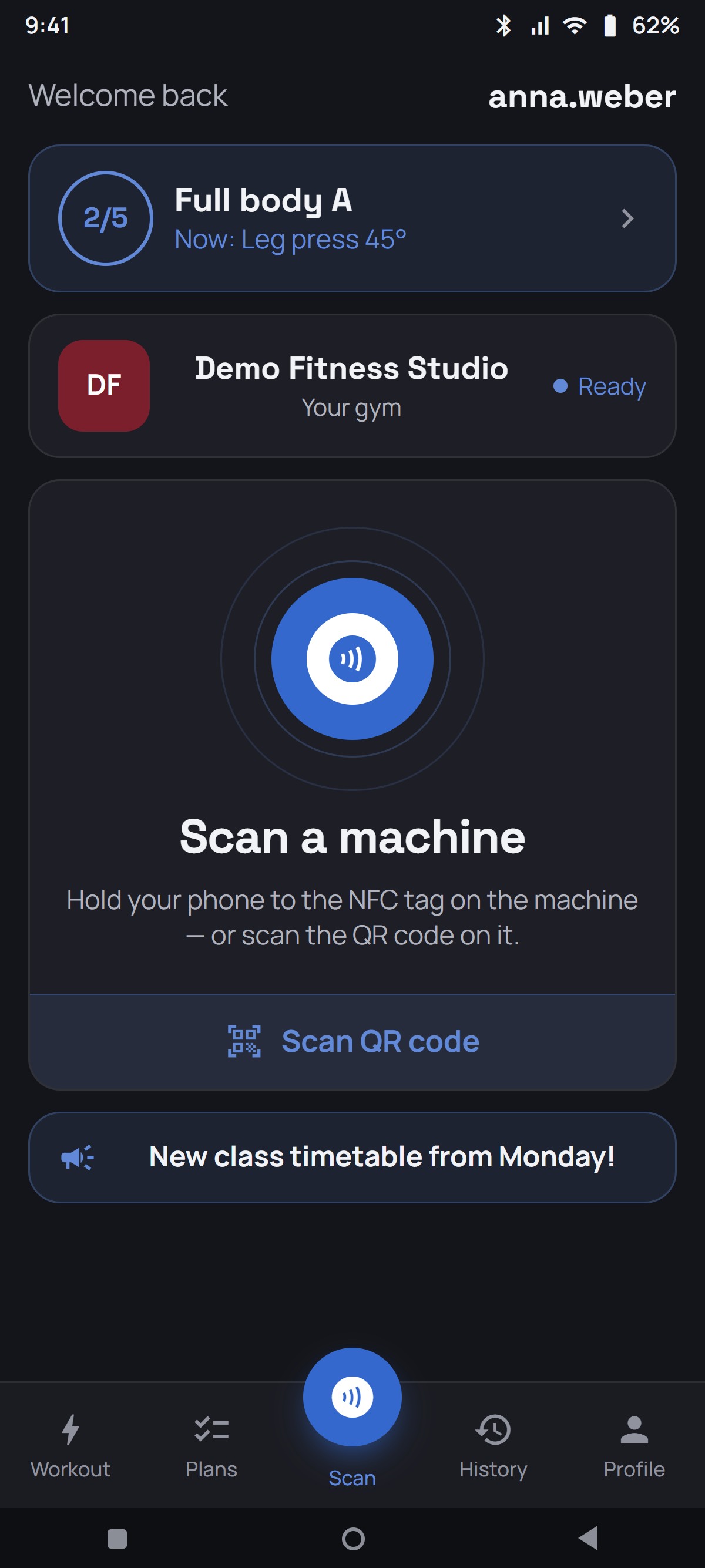
App home screen: scan an NFC tag or a QR code – both sit in the same card
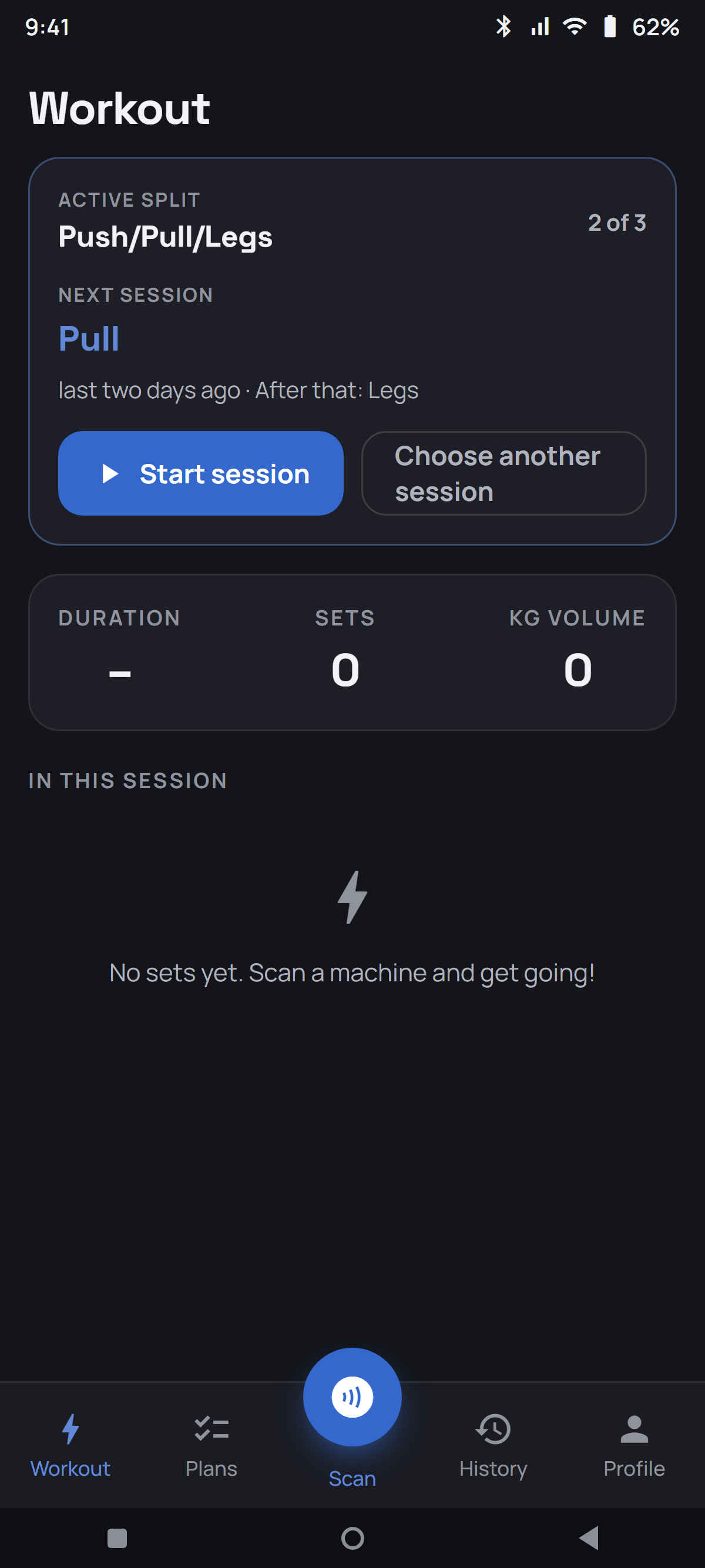
Training page with an active split: next session and position in the order

A tool for every workout.
A clear view for your team.

From the last set to the next follow-up: the app and portal keep the information together.

Support members

Previous results are available at the machine. Plans, personal records and a rest timer support each workout.

Organise follow-ups

Missing or older plans and due follow-ups become a work list for your team.

Keep your equipment

Add suitable tags or QR codes. Manage instructions and equipment reports in the portal.

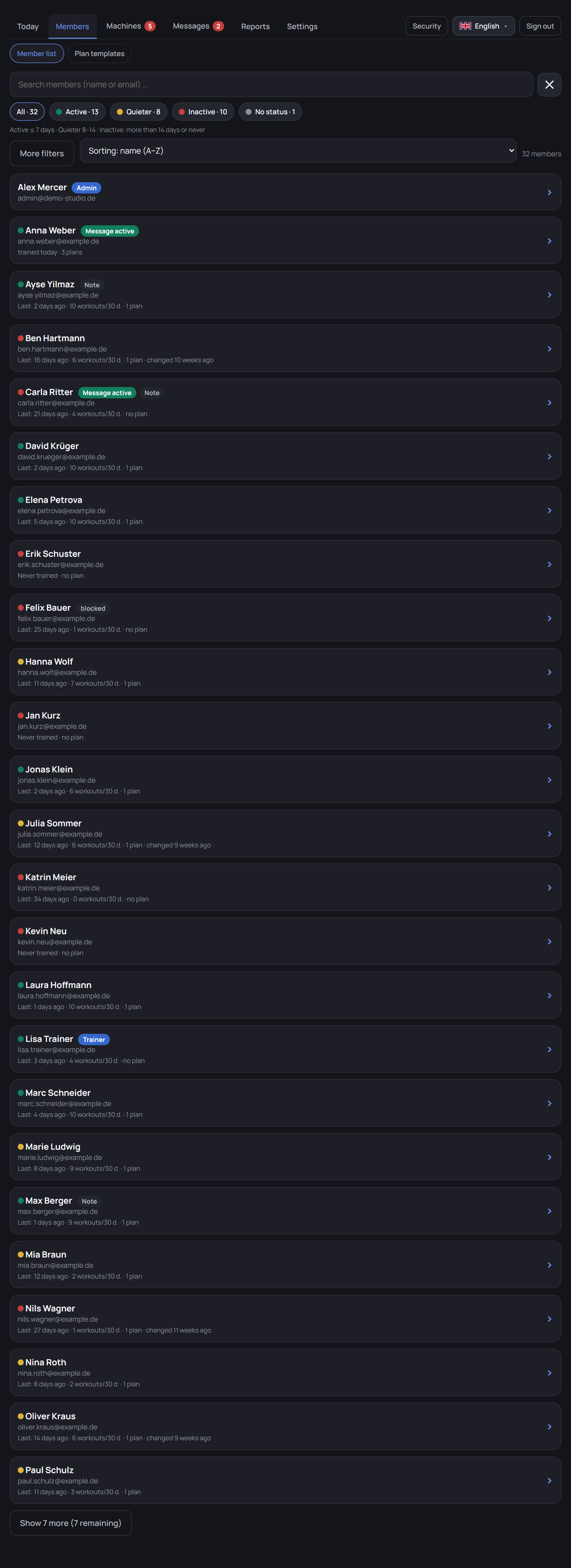
Activity indicators reflect synchronised app workouts. Visits without app records are not included.

Gym portal · Member support
Demo member list with activity indicators and plan filters

Scan. Check. Log.

Install the app and connect to your gym once. Then use it throughout your workout.

Scan a machine

Open the machine using NFC or in-app QR scanning if enabled by the gym.

Check targets and previous results

Targets, previous sets and saved machine settings are close at hand.

Log a set

Enter weight and reps. Previously loaded plans and set logging work offline; data syncs when connected again.

NFC and QR requirements

NFC requires a compatible Android phone and a linked tag. Automatic launch requires NFC enabled, an unlocked phone, the installed app and a phone and tag that support launching it. QR scanning starts in the app and must be enabled by the gym.

Clear controls for your data

Hosting in Germany, a separate database for each gym and sharing controls for personal training data and body measurements.

Basic activity and plan information is visible for member support. Individual sets and detailed training history require the member’s permission; body measurements have a separate sharing control.

Access and security details

Agree setup and costs in advance

Provide your equipment list and existing materials. Together we agree data imports, suitable scan tags and the rollout with your team.

Explore setup and packages
Get started

See it on your
own machines.

We walk you through the app and portal. If you wish, we prepare a demo using a selection of your equipment. We agree the scope and any preparation with you in advance.