Keep track of plans, weights and reps. At a participating gym, scan to open your machine. Without a connected gym, add your own exercises and save workouts on your phone.


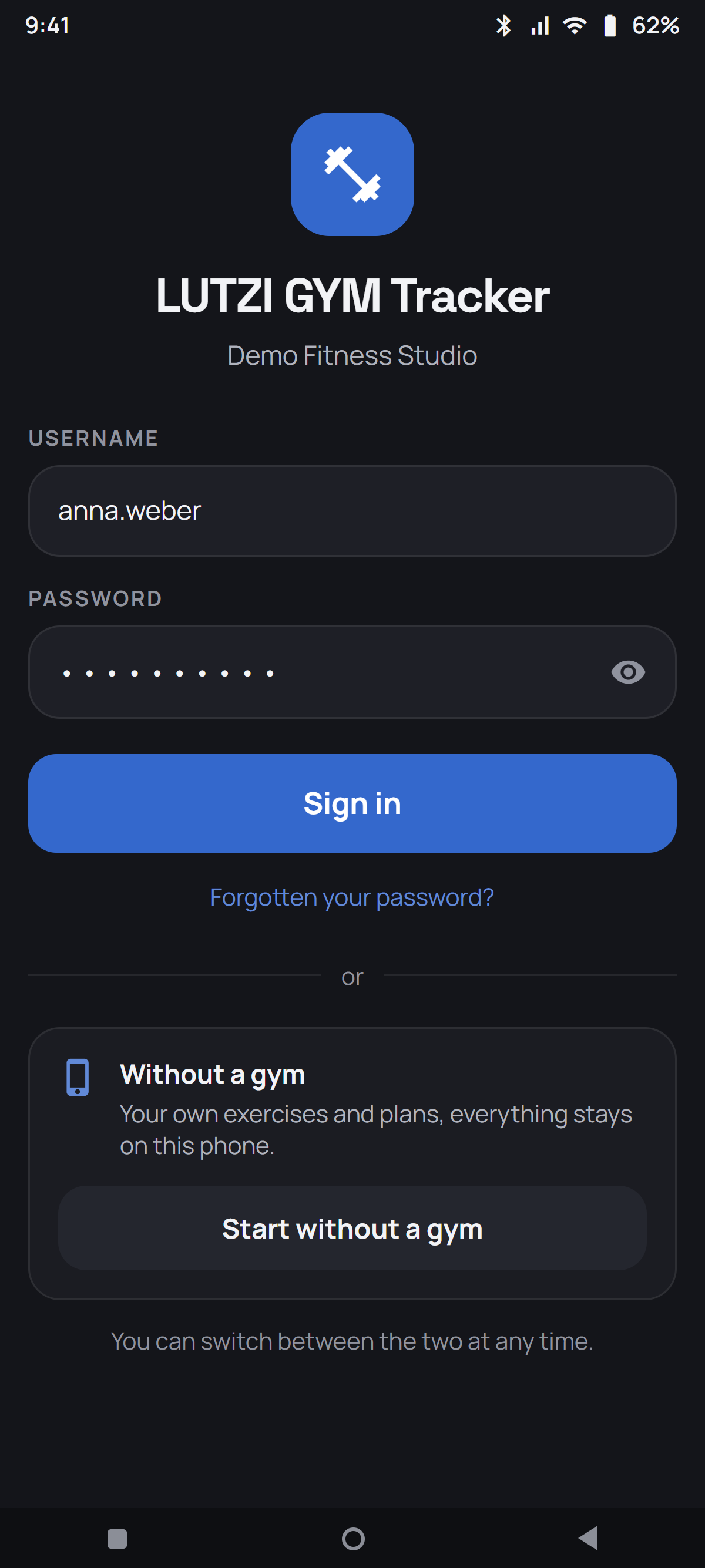
On the very first start you choose how you train. Gym workouts and your own exercises remain separate. You can switch between the two.
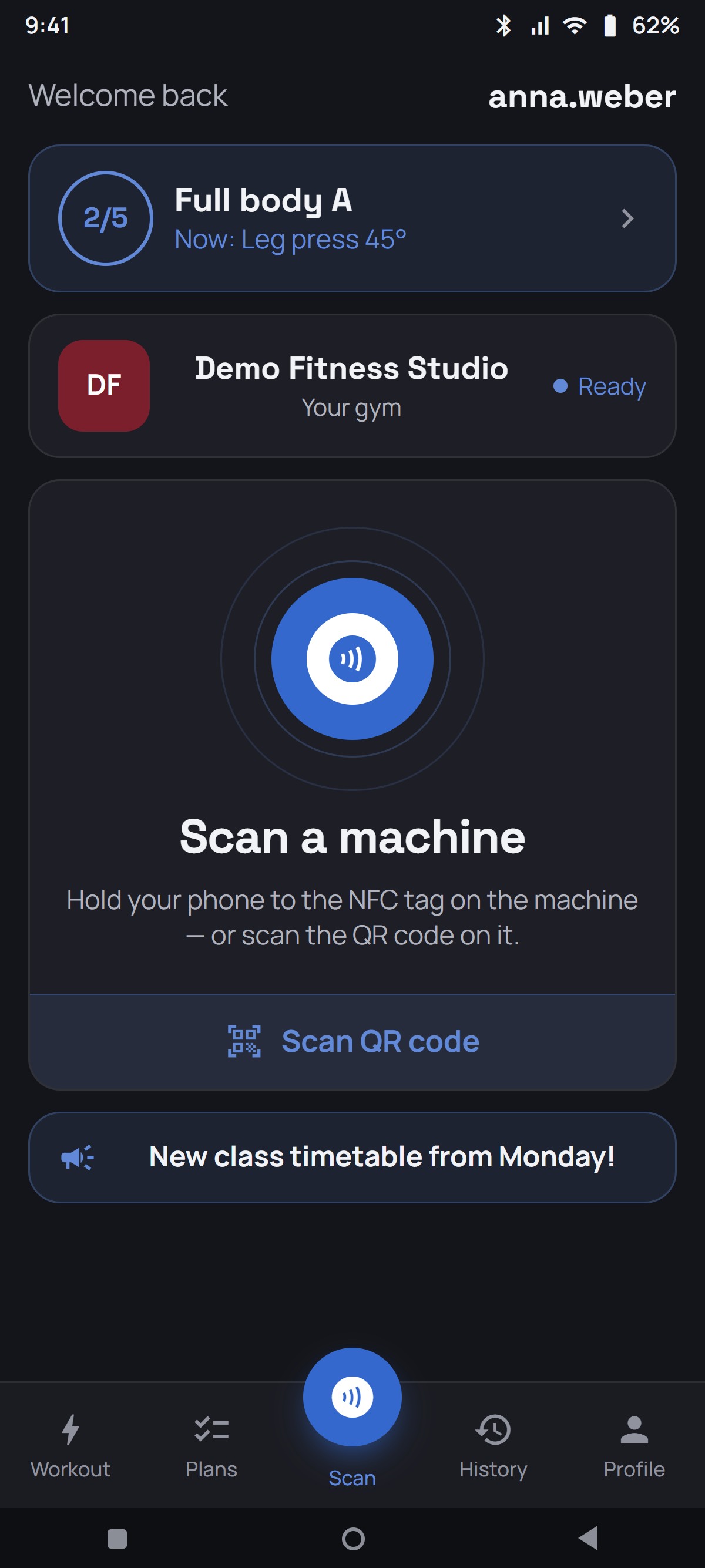
You scan your gym's machines, see photo, video and setup values, get plans from your trainer and – if your gym has set that up – suggestions for your next progression.
You do not need a gym to use the app. On holiday, in a hotel gym, in your basement or at home: you add your own exercises – around two dozen common ones are already there – and train exactly the same way. Training plans, splits, sets, records, history, weekly goal, body data and the rest timer all work unchanged.
Nothing leaves your phone. In this mode the app does not open a connection at all – there is no account, no server and no transfer. To move to a new phone export a backup file.
The only things missing without a gym are the ones that need a gym: scanning machines, trainer plans, automatic progression, milestones and messages.
At a participating gym, open the machine, check your target and log the set. Without a connected gym, select an exercise from your own list; your records stay on your phone.
Scan the NFC tag on the machine or use in-app QR scanning if your gym enables it.
NFC needs a compatible Android phone and a linked tag. Automatic launch requires NFC enabled, an unlocked phone and the installed app. Both phone and tag must support launching the app.
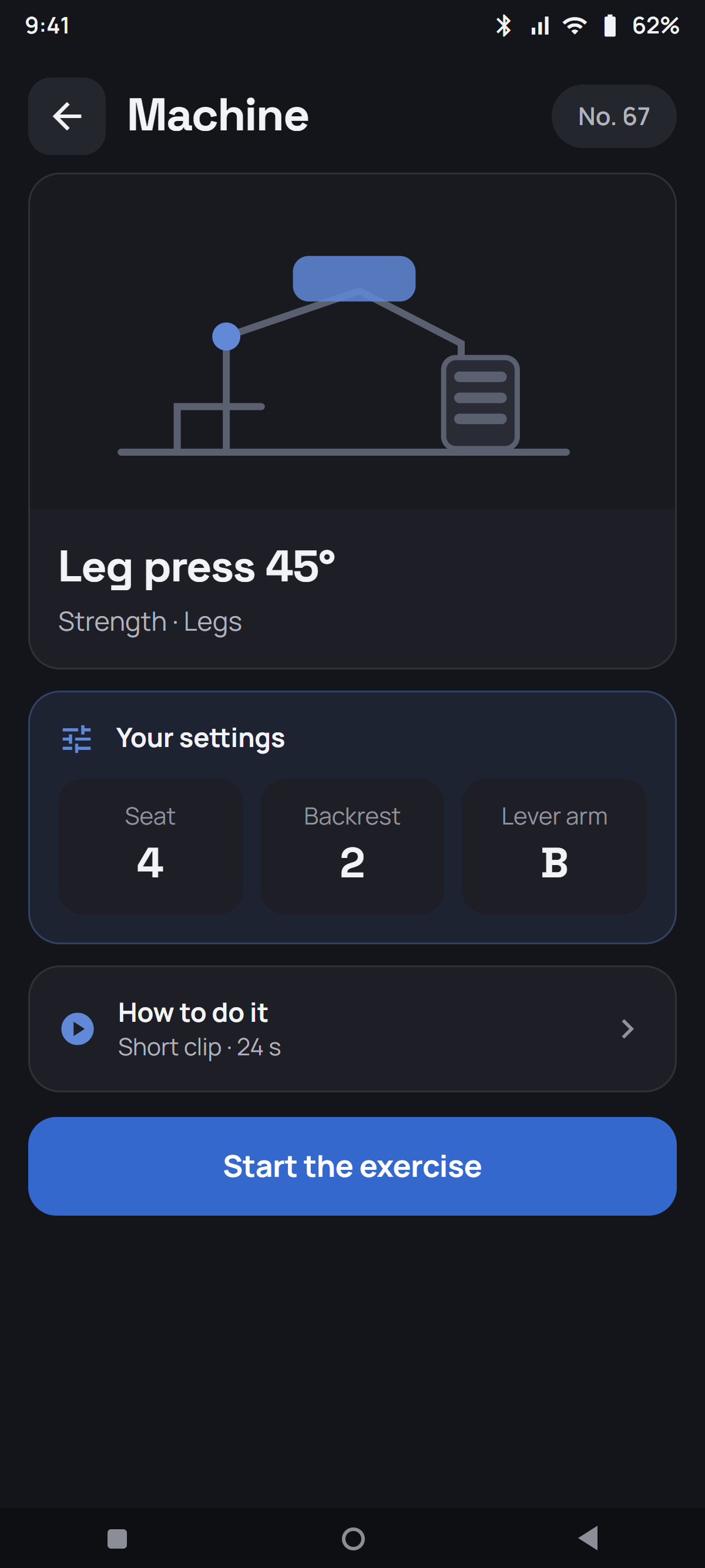
Your target, your last result, your personal record and – if they have been added – photo, video and the machine's settings.
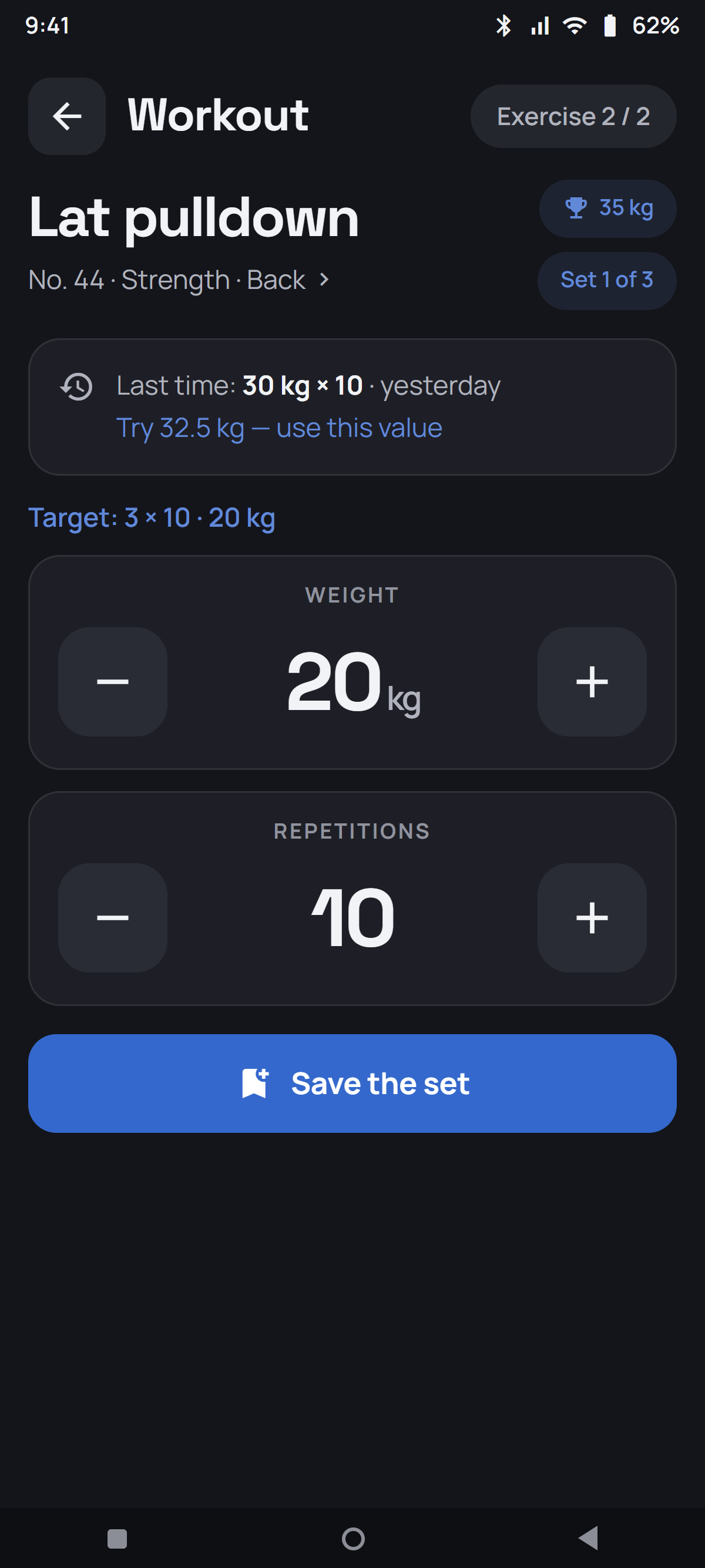
Set weight and repetitions with big buttons, or tap the number and type it in directly. The rest timer starts automatically if enabled.
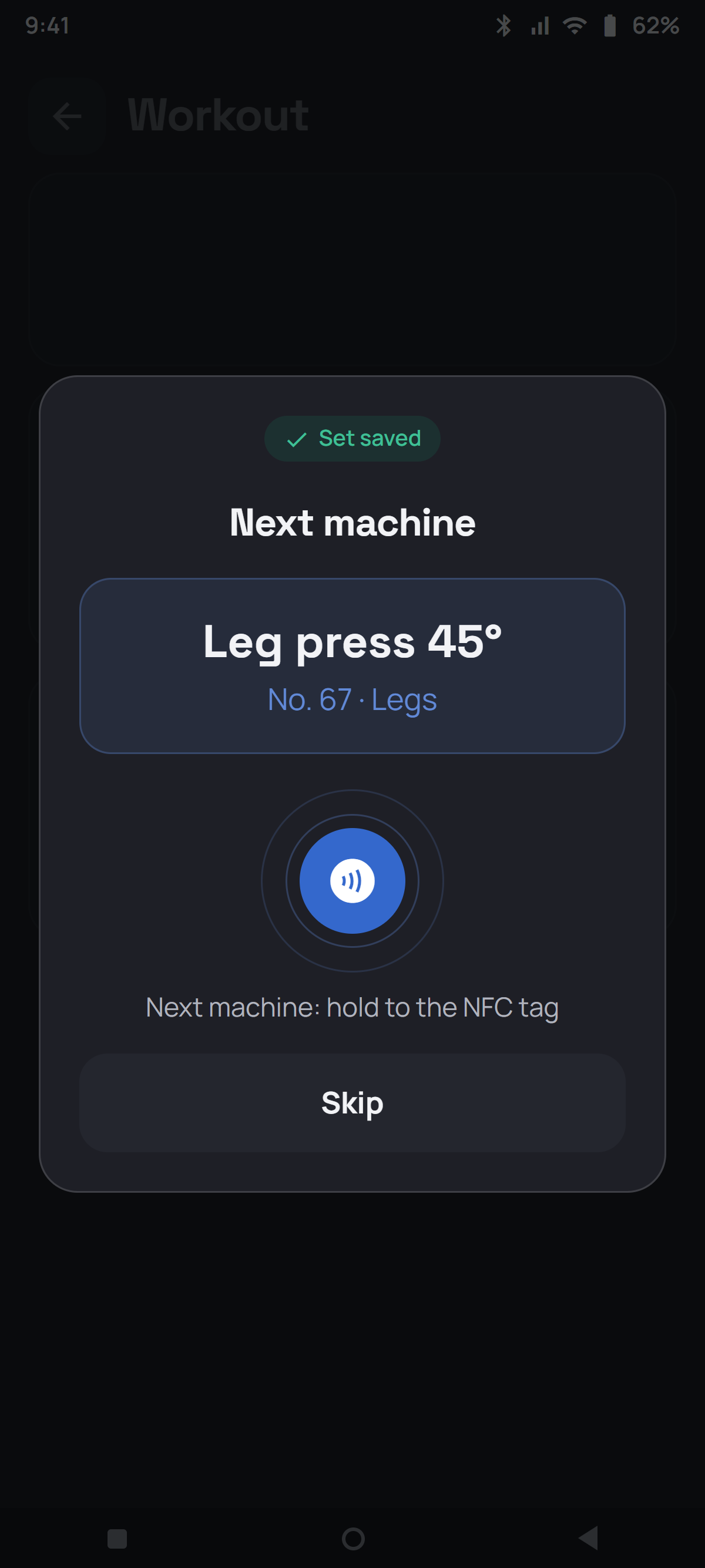
The app tells you which machine is next – with its number, so you find it in the gym straight away.
Review your workout summary at the end. Saved workouts synchronise when a connection is available; the status bar shows pending uploads.


Your gym can add a photo, a short video clip and instructions to every machine – plus the settings that fit you.
Plans, set logging and history: a look at the views you use most.

Target, last result, record and set counter at a glance. Save – done.

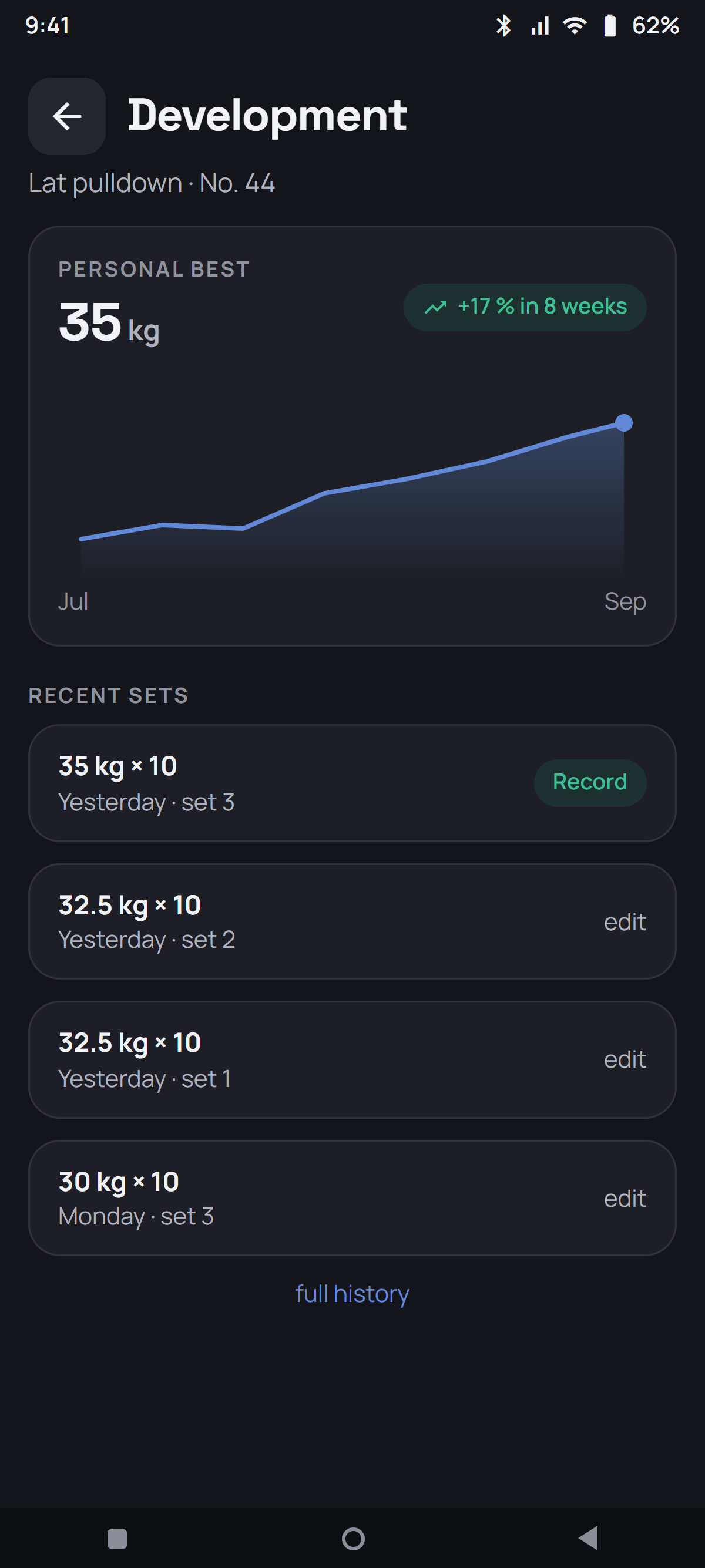
Curve and recent sets per machine. Typo? Edit or delete any set afterwards.

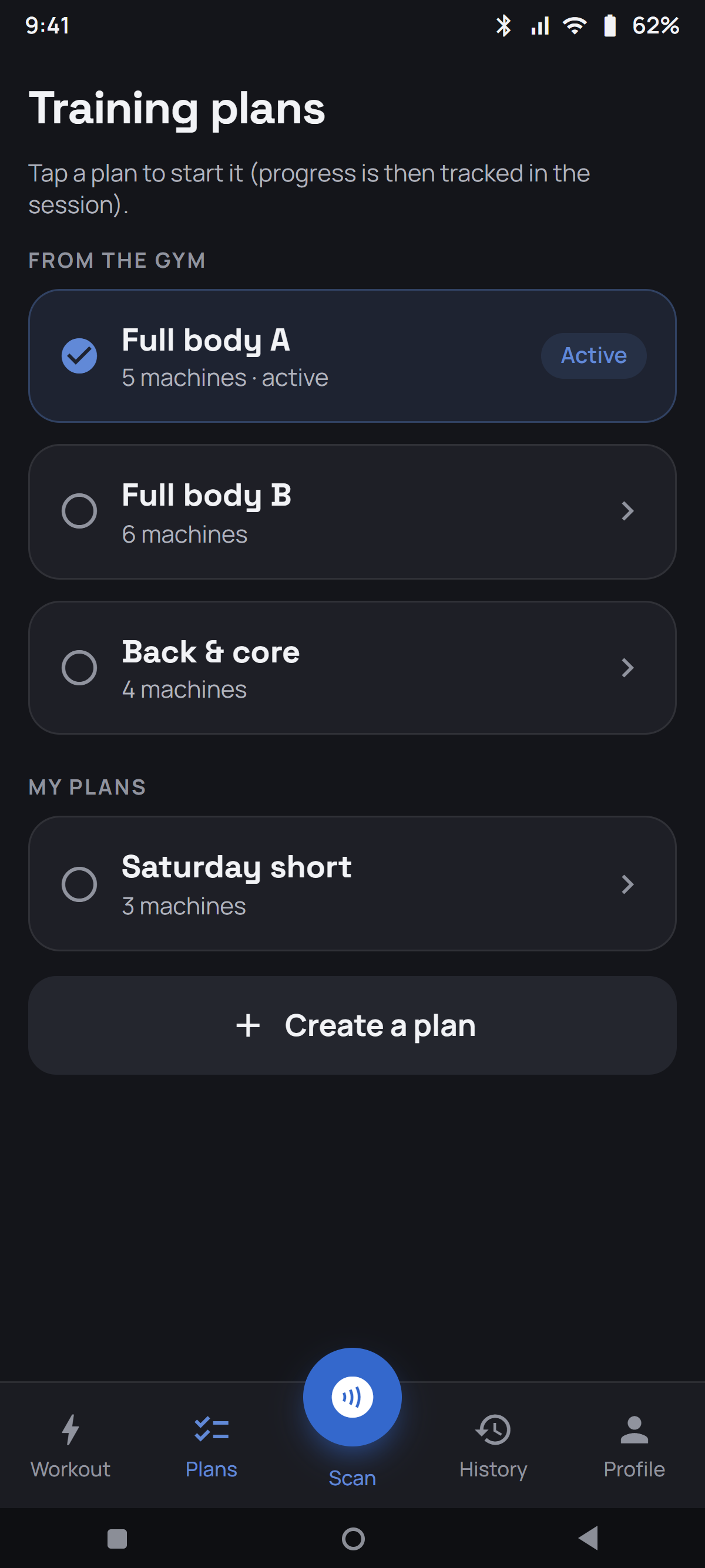
Gym plans and your own plans sit side by side, as single plans or split routines with several sessions. Order and targets can be adjusted.

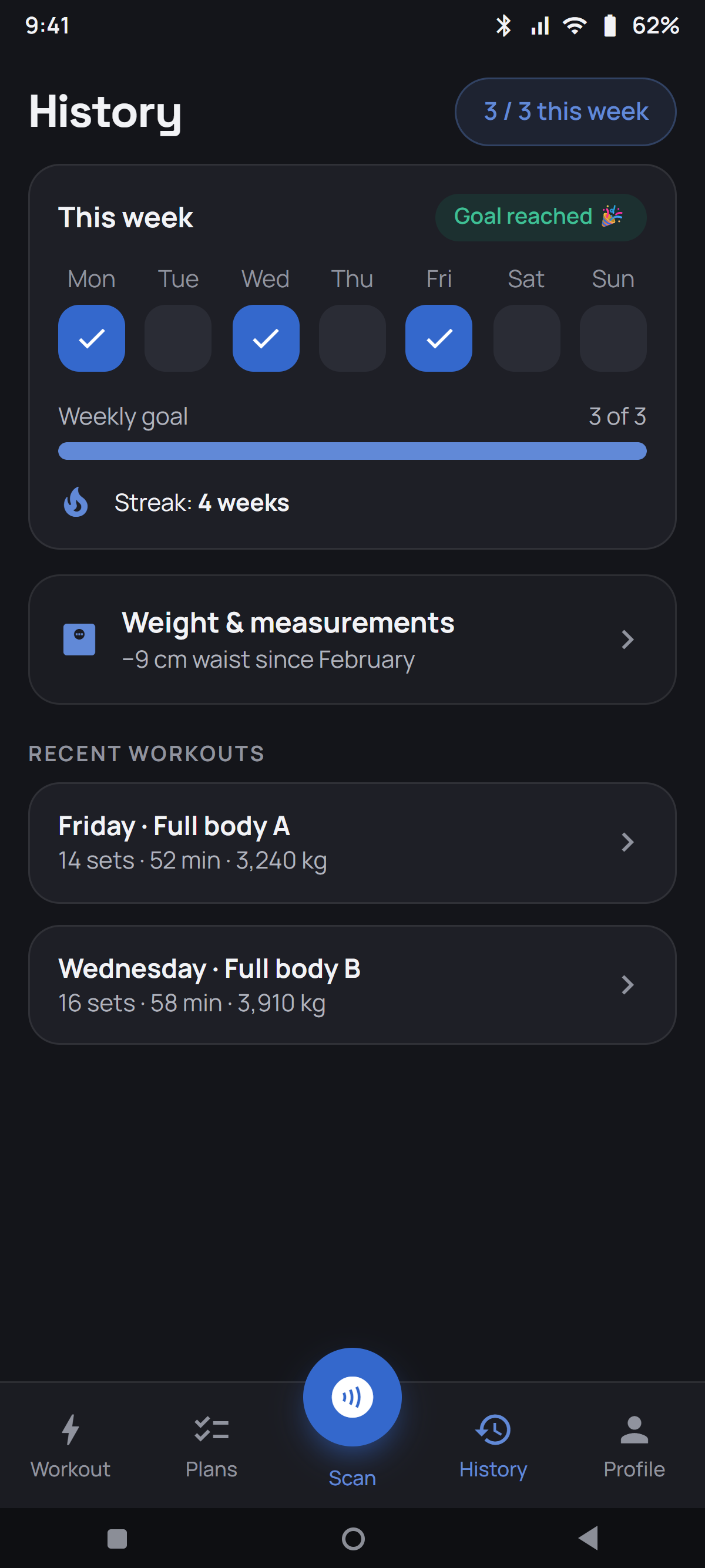
Weekly calendar, weekly goal and streak. You see at once how close you are to your weekly goal.

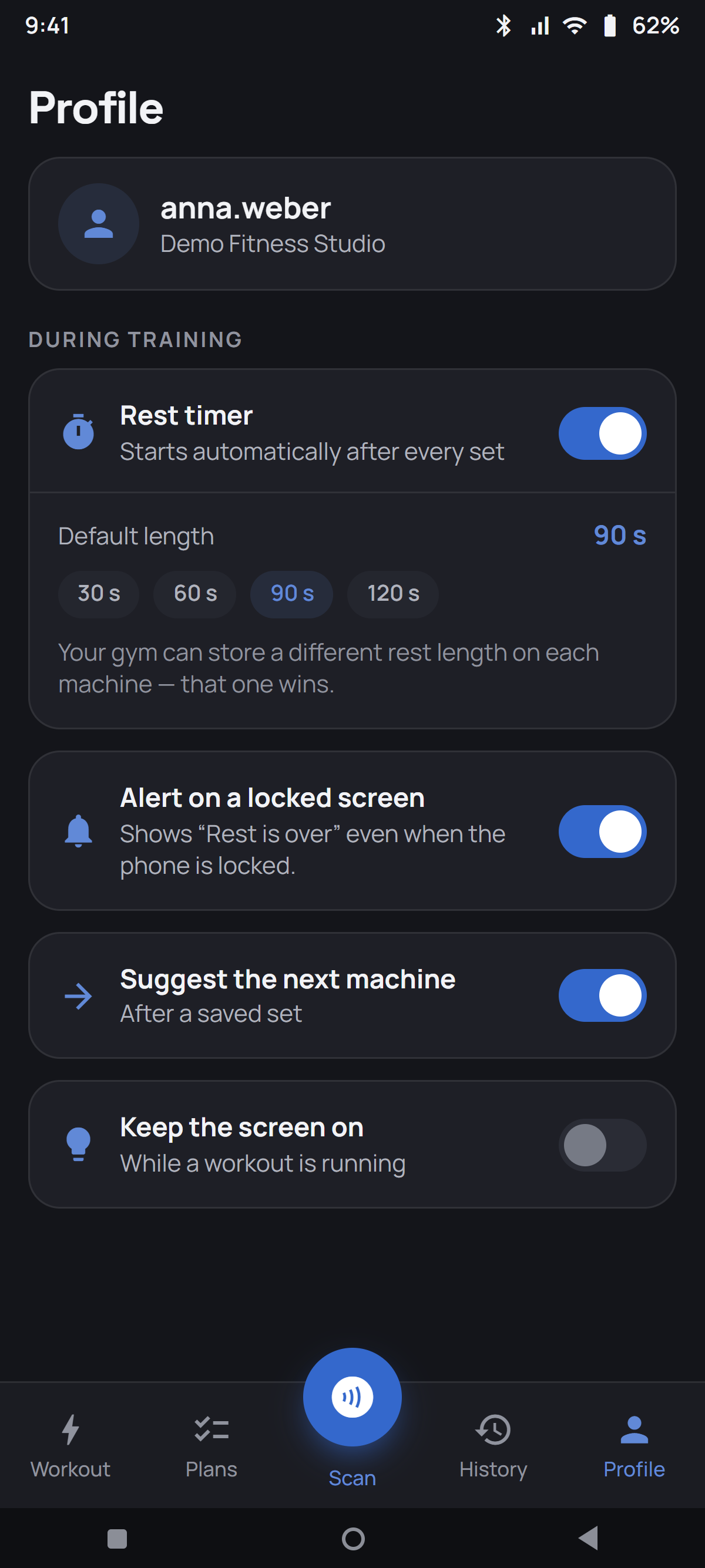
Starts after saving a set if enabled. Use the rest time configured for the machine or your own setting, while keeping your training values in view.

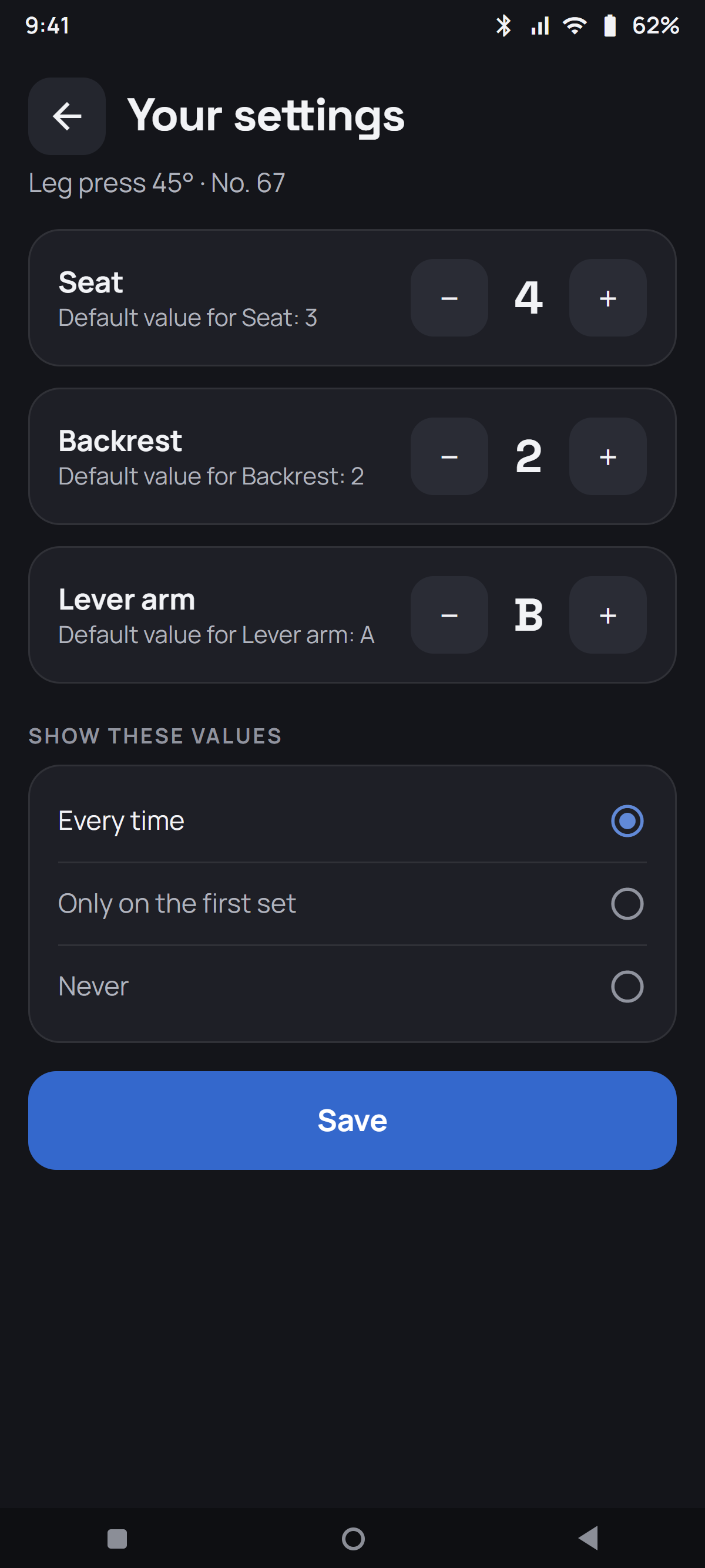
Seat on 4, backrest on 2 – your values, not the previous user's. You decide whether they appear every time.
Create single plans or split routines with several sessions, such as push, pull and legs. After you finish a split session, the app suggests the next one.
Your own exercises, cardio, weekly goals and optional body measurements complete your training log. With a connected gym, your trainer can set targets and progression rules. You choose whether to accept suggestions into your plan.
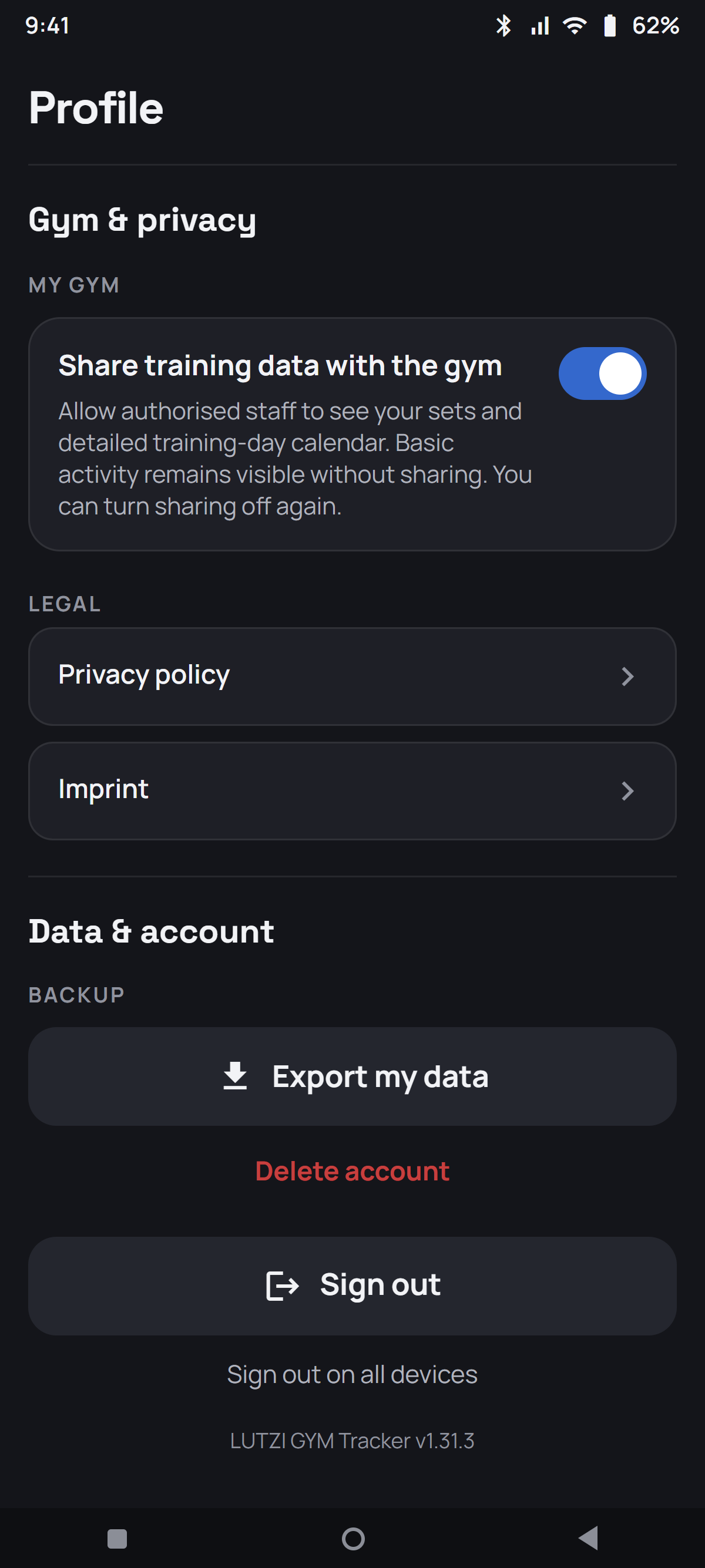
Your gym sees individual sets and detailed training history only with your permission. Weight and measurements have a separate sharing control. Both are off by default.
You can turn sharing off again. Once the server confirms the change, the portal stops displaying the relevant details. Permissions and withdrawals are recorded with their associated version. Gym data is stored in a separate database in Germany and connections are encrypted. Photos are encrypted on the server, but not end-to-end encrypted.

Android access is available through your participating gym. The iPhone version is in preparation.
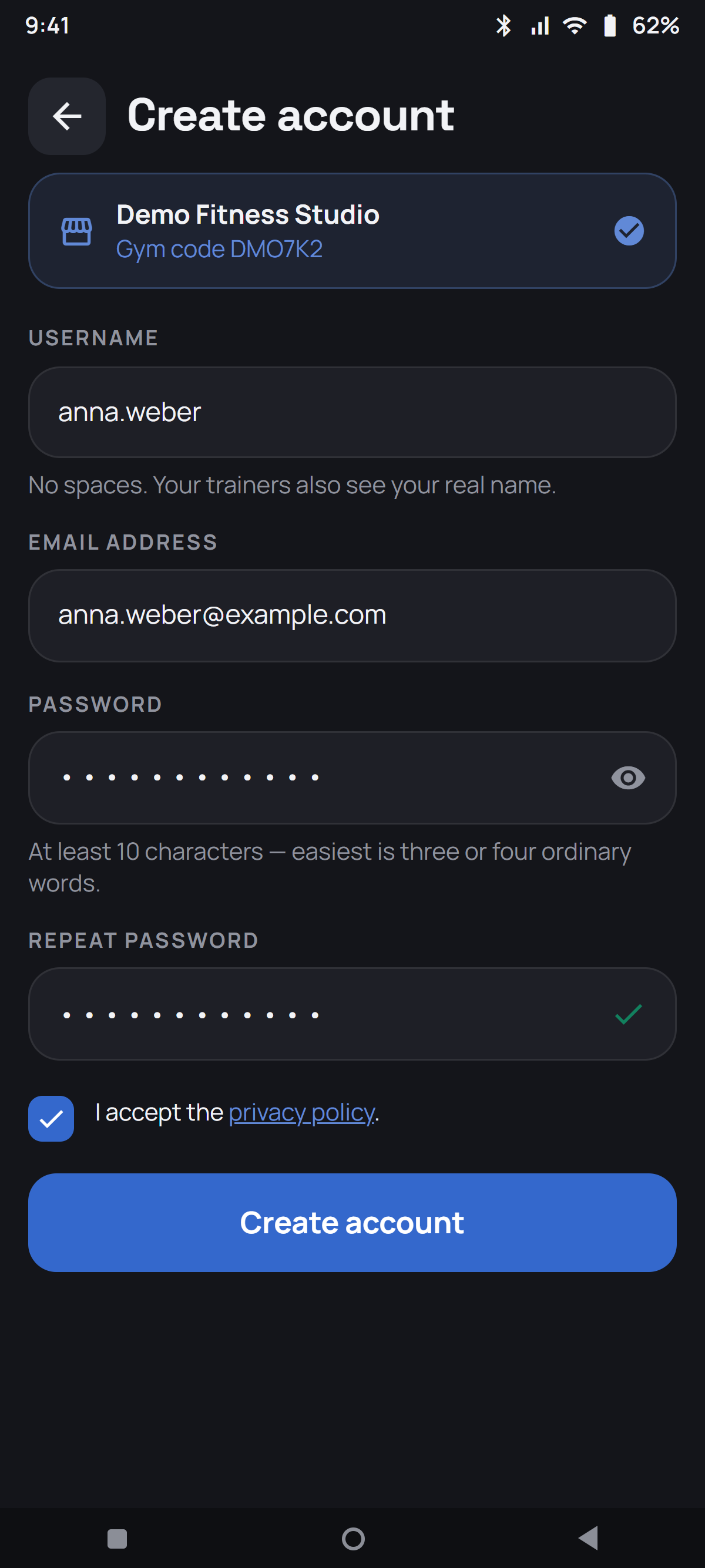
Ask the front desk for installation access. Choose your language, connect using the poster or gym code and create your account. Then open your first machine.
Once installed, the app works without an account or gym connection. This page does not offer a direct download. Email us to ask about availability and access.
Ask about app access by email

Use in-app QR scanning if your gym enables it, or find the machine by name, number or muscle group in the machine list.
Your gym provides access and can tell you whether it is included in your membership.
Weight and repetitions for strength exercises, or the cardio fields provided by your gym. Your trainer can supply a plan and targets.
That works too. Just scan and start training – the app still counts along.
Then you start the app without a gym. You get your own exercise list, and whatever you log there stays on your phone – separate from your gym data.
No. Weight and measurements are a separate area you never have to open. And if you do: every field on its own, nothing is required.
No. The portal has no view for them at all, and in the app only your own account sees them. On the server they are stored encrypted.
“Sign out on all devices” revokes its server session. It does not erase local data; remove personal data before handing over a device.
No. It remembers your settings and can display them; you adjust the machine yourself.
Yours. On first launch you choose between German, English, Dutch, Polish and Italian – your phone's language is pre-selected. You can change it any time in your profile, and the emails to you then arrive in that language too.
Switch to lbs in your profile. Everything is still stored in kilos, but shown and entered in pounds – so your existing sets still add up. The step size deliberately stays in kilos: it reflects the plates that actually hang on the machine.
Yes, if your gym has switched the feature on: a short message to your trainer or to management, one per day. But no answer comes back through the app – your gym gets in touch the usual way.
Ask your gym for access or email us about using the app without a gym.